Training Manual
A Hunter's Guide to Data Links & Privacy
1. What is NFC? (The Data Link)
NFC stands for Near Field Communication. It's like a secret, invisible handshake between your phone and a droid!
When you bring your phone really close to a droid's scanner badge, they talk to each other using a tiny radio wave. It's the exact same technology used when you pay for things with your phone by tapping it on a machine. No wires, no typing—just tap and go!
2. How to Enable Your Scanner
Sometimes phones have their scanners turned off to save power. Here is how to turn them on:
🍏 iPhone (iOS)
If you have an iPhone (iPhone XS or newer), the NFC scanner is always on automatically! You don't need to press any buttons. Just hold the top edge of your iPhone near the droid's badge, and a notification will drop down from the top of your screen.
🤖 Android
On Android, you might need to flip the switch:
- Swipe down from the top of your screen to open your quick settings.
- Look for the NFC icon (it looks like an 'N' or radio waves) and tap it so it lights up.
- If you don't see it there, open your phone's Settings app, search for "NFC", and turn the switch ON.
- Hold the middle-back of your phone against the droid's badge to scan!
3. The Droid Registry & Badges
The Registry is your master list of every known droid in the sector. As you scan droids, you will see colored badges appear on their registry cards:
- Bronze Badge: You have successfully scanned this droid at least once.
- Silver Badge: You have scanned this droid multiple times across different events or days.
- Gold Badge: You are an elite tracker who has interacted with this droid extensively!
Local Intel: Keep an eye on the ticker box at the top of the Registry. It provides real-time tracking data on the last known location of a droid spotted by the community!

4. Droid Profile Pages (The Datapad)
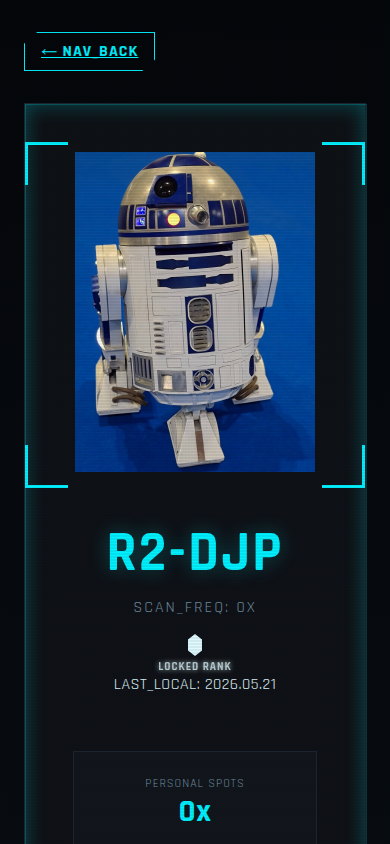
Clicking on a droid in the Registry opens its detailed Profile Page. Here you can find technical specifications and background data:
- Builder Info: Learn about the Master Builder who constructed the droid.
- Stats & Sensors: View simulated technical data like battery levels, sensor status, and component health.
- Build Logs: Read the backstory, technical notes, or fun facts provided by the builder.
- Community Intel: See exactly when and where this droid was last spotted, and how many other hunters have successfully scanned it.
- Commend & Share: Use the "Commend Builder" button to send a digital high-five to the droid's creator, and hit the "Share Data Card" button to generate a sleek social media graphic of your scan achievement!
5. Awards & Scan History
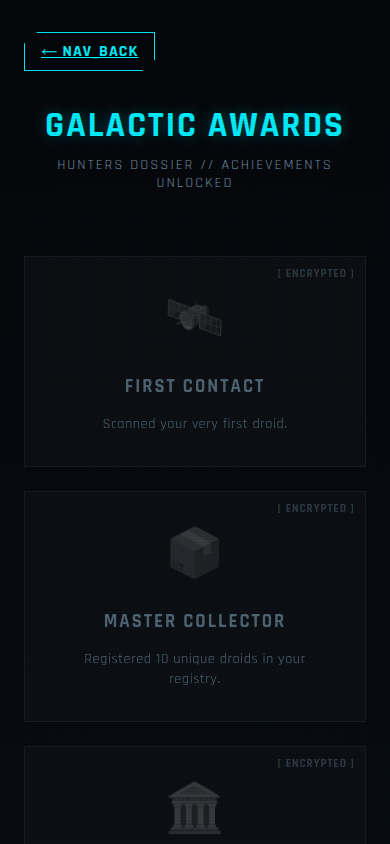
Your profile tracks your progress as a Hunter through the Awards and History systems.
- Awards: Special achievements you unlock for reaching milestones (e.g., scanning 5 astromechs, participating in an event, finding rare droids).
- Recent History: A chronological timeline of every successful scan you've performed, showing exactly when and what you found.
6. Hunter Privacy (What We Store)
We believe in keeping your missions strictly confidential. We do not track your location, and we do not use your data for marketing.
If you use a "Guest" account (Anonymous Envoy), we only store a random secret code in your browser (called a cookie) to remember which droids you've found. We don't know who you are!
If you create a real account (so you don't lose your droids if you get a new phone), we only ask for an email address and a nickname. That's it! We just need your email so you can log back in.
7. Wiping Your Data (Self-Destruct)
If you want to erase all record of your hunts, it is very easy.
- If you are logged in, go to the PROFILE page and click the red DELETE ACCOUNT button. This will instantly vaporize your account and all your scan data from our database forever.
- If you are playing as a Guest, simply clear your browser's cookies. Since we don't know who you are, losing that cookie effectively deletes your guest account!